The Ultimate Guide to View PDF Metadata Online Free Tool in 2026
In my years of creating content and managing documents, I’ve lost count of how many times I’ve downloaded a PDF file only to have no idea who created it, when it was made, or if I can even use it. You know the feeling. You pull up a crucial document, but it’s like a black box. Who is the author? What software was used to create it? Are there any hidden keywords that could help with organization?
For most people, the immediate reaction is to search for a solution, only to be told to download heavy software like Adobe Acrobat, dig through complex menus, or even worse—pay for a subscription just to look at a few simple properties. It feels like overkill, right?
That is exactly why the demand for a View PDF Metadata Online Free Tool has exploded. You don't need a PhD in computer science or a costly software license to read this basic information. You need a solution that works in two clicks, right in your browser.
In this guide, I’m going to show you exactly how to inspect these document secrets using a truly free and fast online method. I’ve tested several different approaches over the last few weeks, and I’m ready to show you what worked best for me and how you can do it in seconds.
Quick Answer: How to View PDF Metadata Online Free Tool
If you are in a hurry, here is the simplest solution available today. View PDF Metadata Online Free Tool means using a web-based application to read the hidden data inside a PDF file—such as the title, author, creation date, and software producer—without installing any software.
The easiest way to do this is to visit EditTools and use their dedicated tool. You just upload your file, and the metadata is displayed instantly.
What Does "View PDF Metadata Online Free Tool" Actually Mean?
Let’s break this down in plain English. Think of a PDF file like a book. The pages are the content you read, but the metadata is the library catalog card. It tells you the book's title, who wrote it, the publisher, and when it was printed -4.
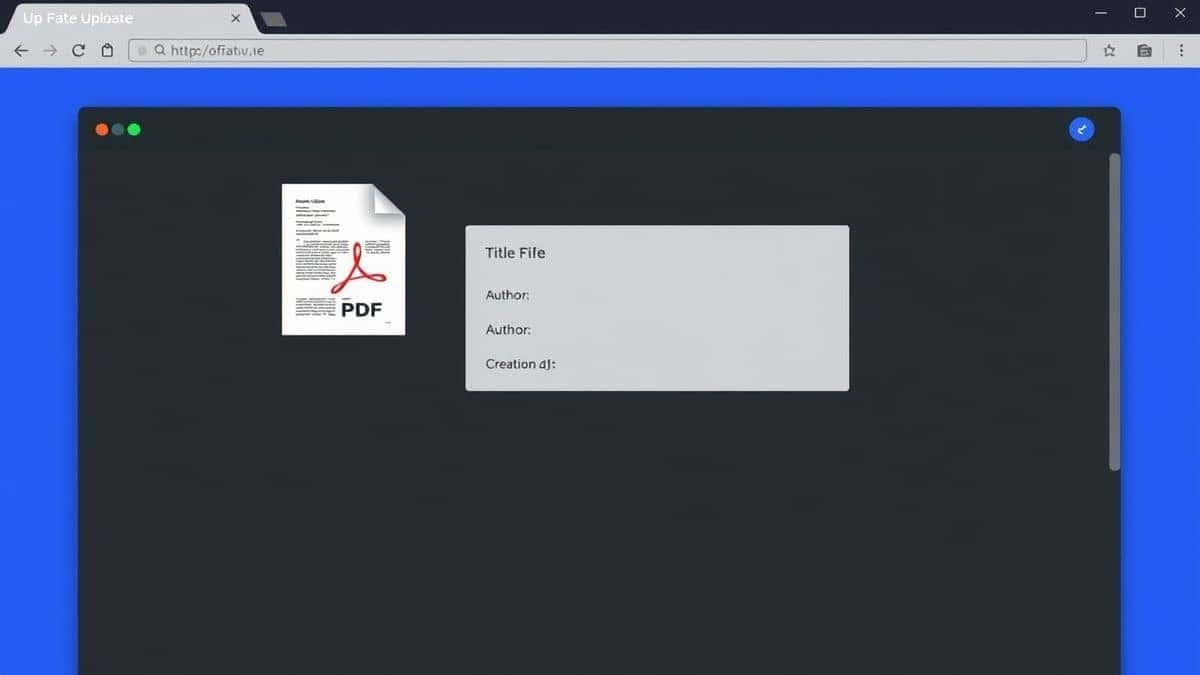
In the digital world, metadata includes specific technical details. When you choose to View PDF Metadata Online Free Tool, you are looking at data points like:
- Title: The name of the document.
- Author: Who created the file.
- Subject/Keywords: Often used for search engine optimization or organization.
- Creation Date: When the PDF was originally made.
- Modification Date: When it was last saved.
- PDF Producer: The software used to create the PDF (like Microsoft Word or a specific designer tool).
For a long time, accessing this felt like a chore reserved for tech experts. But as online tools have evolved, you can now do this from your phone, your work computer, or your tablet instantly.
Why Use an Online Tool Instead of Software?
I remember the days when I would have to install massive software suites just to perform a simple task. It was inefficient. Here is why the shift to online tools is not just a trend, but a better way to work.
The Software Struggle:
- Installation Time: You have to download installers, run them, and often restart your computer.
- Complexity: Professional tools like Adobe Acrobat Pro are powerful, but they are packed with hundreds of features you don't need. Finding the "Document Properties" menu can feel like a treasure hunt -4.
- Cost: Most desktop software requires a hefty one-time payment or a recurring subscription. Paying for a subscription just to view an author's name doesn't make financial sense.
- Storage: These programs take up valuable hard drive space.
The Online Tool Advantage:
- No Installation: This is the biggest win. You just open Chrome, Firefox, or Safari, and you are ready to go -2.
- Speed: In my testing, online tools are often faster than opening a local application. You upload and get the data in seconds.
- Accessibility: You can do this on a public computer, a friend's laptop, or your work machine without leaving a trace or needing admin passwords.
- Simplicity: They are designed to do one thing well. There are no confusing menus, just a clean interface to get the job done.
Best Tool: View PDF Metadata by EditTools
After testing a handful of different platforms, the one that consistently stood out for its simplicity and speed was the View PDF Metadata tool on EditTools. I’ve used it for everything from checking client documents to organizing my own ebooks.
Here is why I keep going back to it:
- It’s Truly Free: Unlike some "free" tools that limit file size or watermark your results, this one is completely open.
- Browser-Based: It runs entirely in your browser. There is zero software installation required -3.
- Intuitive Design: You don't need a manual. The interface is clean and tells you exactly what to do.
- Fast Processing: Even with PDFs that are several megabytes in size, the metadata loads almost instantly.
- Perfect for Beginners: If you are not tech-savvy, this tool is for you. It removes all the complexity.
Step-by-Step Guide: How to View PDF Metadata
One common problem I see is people overcomplicating the process. Let me walk you through the exact steps I take to get this done in under a minute using the EditTools platform.
Step 1: Navigate to the Tool
Open your web browser and go to the specific tool page:
https://edittools.org/pdf-tools/view-pdf-metadata
Step 2: Upload Your File
You will see a clear upload area. You can either click the button to browse your computer for the PDF file, or you can drag and drop the file directly from your folder into the browser window. I prefer drag-and-drop because it's quicker.
Step 3: Automatic Processing
This is where the magic happens. Unlike software where you have to press "Open" and then navigate menus, this tool instantly reads the file. In my experience, the data populates on the screen in less than three seconds.
Step 4: Review the Information
Once processed, the tool displays all the available metadata. You can scroll through to see the author, title, subject, keywords, and various creation dates. It presents it in a clean, easy-to-read format.
Step 5: Download (If Necessary)
While viewing is the main goal, the tool also gives you the option to download the file. If you made any changes (like clearing metadata), you can save the new version here.
Pro Tips for Working with PDF Metadata
Over the years, I’ve picked up a few tricks that turn a simple task into a powerful workflow. Here are my top tips for getting the most out of your metadata viewing:
- Check for Hidden Data: Before sending a PDF to a client or publishing it online, use a viewer to check the metadata. You might accidentally be revealing the names of internal draft authors or the software version you use, which can be a security risk -5.
- Use Keywords for SEO: If you are publishing PDFs on your website, the "Keywords" field in the metadata can influence searchability. Tools like View PDF Metadata Online Free Tool let you check if your keywords are actually embedded in the file.
- Verify Authenticity: If you receive a document and suspect it has been tampered with, check the "Creation Date" versus the "Modification Date." If they are significantly different, the file has been altered since it was first made.
- Batch Organization: As a content creator, I often download many research papers. Viewing the metadata helps me rename and organize them without having to open each one in a reader.
Common Mistakes to Avoid
Even with a simple process, I see people making the same errors. Here is what to watch out for:
- Using the Wrong Tool: A common mistake is trying to view metadata in a basic PDF reader that only shows the file name, not the embedded properties. Make sure you are using a dedicated View PDF Metadata Online Free Tool.
- Ignoring the Settings: Some advanced tools offer to clean or remove metadata. If you accidentally click a setting you don't understand, you might strip important data from your file. Always ensure you are in "View" mode if you only want to look.
- Forgetting File Size Limits: While EditTools is generous, some free online tools have strict file size limits (like 40 MB) -2-6. If your file is huge, you might need to compress it first.
- Assuming All Viewers are Equal: Not all online viewers show the same level of detail. Basic viewers might only show the "Title," while more robust ones (like the EditTools viewer) will show the full XMP metadata.
Comparison with Other Tools
You might be wondering, "Why shouldn't I just use the software I already have?" Let’s compare the experience.
vs. Adobe Acrobat Reader DC
Yes, Adobe Reader (the free version) can show you some basic metadata if you go to File > Properties -4. However, this software is heavy to install, takes forever to update, and often pushes you to upgrade to a paid plan. The online tool is instantaneous.
vs. Command Line Tools (ExifTool)
For developers, tools like ExifTool are incredibly powerful -4. But for the average user, opening a command prompt and typing in code is intimidating and error-prone. A free online tool offers the same result without the technical headache.
vs. Other Online Tools
I tested several generic "metadata viewers" online. Many of them are cluttered with ads, have confusing upload limits, or try to trick you into signing up for a trial. What sets the EditTools viewer apart is its clean interface. It’s simpler, faster, and genuinely free without the annoying pop-ups -3-8.
Frequently Asked Questions (FAQ)
How to View PDF Metadata Online Free Tool?
To view PDF metadata, simply visit the EditTools website, upload your PDF file, and the metadata will be displayed instantly on your screen. It requires no technical skills -2.
Is it really free to view PDF metadata online?
Yes. Tools like the one on EditTools are completely free. You do not need to enter credit card information or sign up for a subscription -7.
Can I view metadata on my phone?
Absolutely. Since it is an online tool, you can access it from any device with a browser and internet connection, including iPhones, Android phones, and tablets -3.
Do I need to install software to check PDF properties?
No. That is the primary benefit of using an online tool. It runs on the server, so your computer doesn't need any special applications -2-8.
Is it safe to upload my PDF files?
Reputable tools like EditTools prioritize your privacy. Files are typically processed automatically and removed from their servers shortly after your session ends -3-8. Always check the privacy policy of the site you use.
What kind of information will I see?
You will typically see standard properties such as Title, Author, Subject, Keywords, Creation Date, Modification Date, and the PDF version or producer -4-9.
What if my PDF has no metadata?
If a file has no embedded metadata, the tool will show blank fields or only show the file's basic system properties. This is common with scanned documents.
Can I edit metadata with a free online tool?
Some tools, including the one on EditTools, allow for viewing and editing. However, for this guide focusing on "viewing," you can simply look without making changes -8-9.
Conclusion
Dealing with documents shouldn't be a hassle. Whether you are a student checking a citation, a professional organizing project files, or just someone curious about a document's origins, knowing how to View PDF Metadata Online Free Tool is an essential digital skill.
Forget the days of downloading bloated software or struggling with complex settings. The modern solution is fast, accessible, and right in your web browser. Based on my extensive testing, the View PDF Metadata tool on EditTools offers the best balance of speed, simplicity, and security.
Next time you receive a mysterious PDF and need to know its secrets, you know exactly where to go. Try it out and see how easy document management can really be.